

【Important Notice】Member information and points are now shared between our physical stores and online shop!
Shopping made more convenient with common points!
Thank you for your continued support of Sports Shop Furuuchi.
We have now launched integration between our physical store and online shop membership information and points!
This allows you to use the same membership information and points both in-store and online.
What’s changing?
Previously, you had to register as a member separately for our physical store, but now you can use both with a single membership account.
-
Points earned from in-store purchases can now be used at the online shop.
-
Points earned from online shop purchases can now be used in-store.
We are now able to provide you with a smoother and more convenient shopping experience.
Requirements for integration: Please register your email address
Your email address will serve as the common key for linking your membership information.
To correctly link your physical store and online shop accounts, you must register the same email address for both.
For customers who have not yet registered an email address
If you haven't registered an email address in the physical store's membership app, please open the membership screen, and we will be happy to assist you with the registration.
For customers already registered
If you have registered different email addresses for the physical store and the online shop, the accounts may not be linked correctly. Please check your registered email addresses, and if they differ, please unify them into one.
-
To change your in-store email address: You can change it via the app.
-
To change your online shop email address: You can change it from your My Page.
How to verify
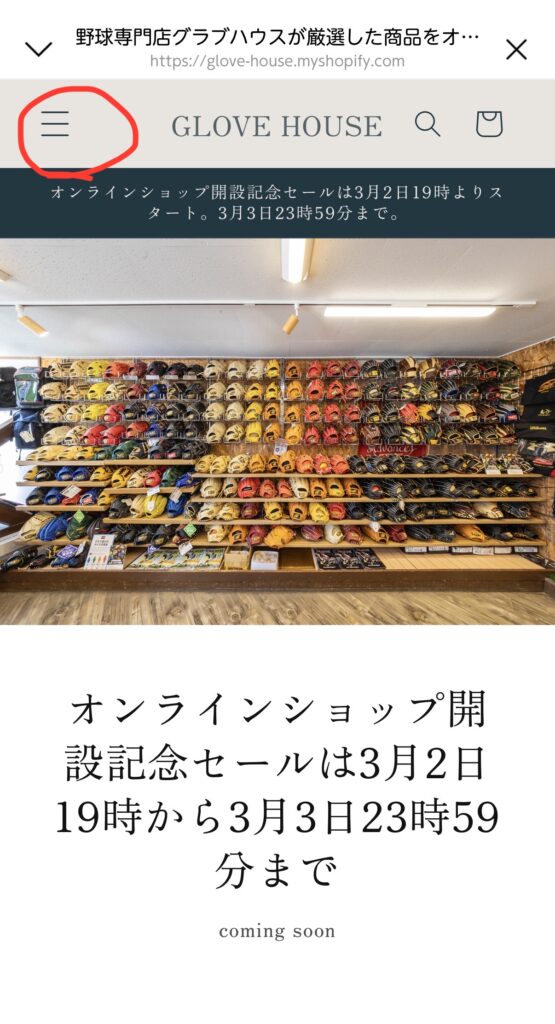
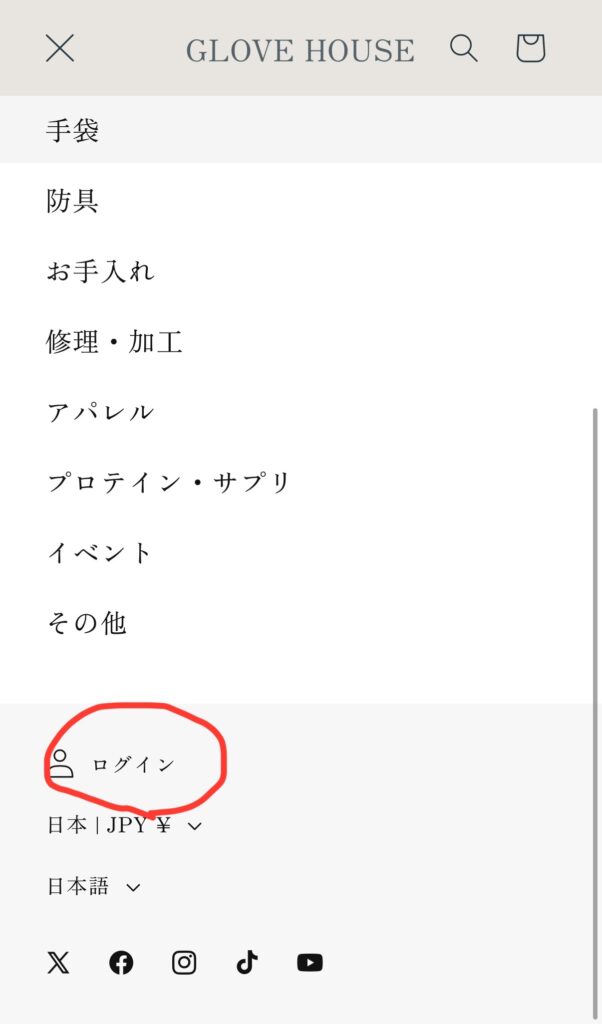
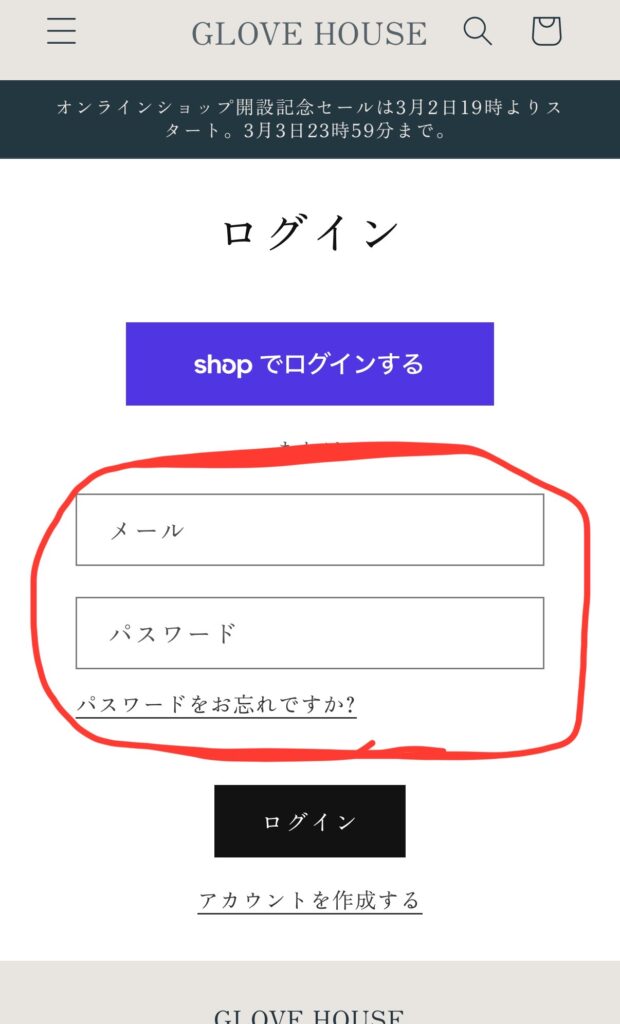
Press the hamburger menu icon at the top left of the online shop to open the login screen.
Please set your email address here.
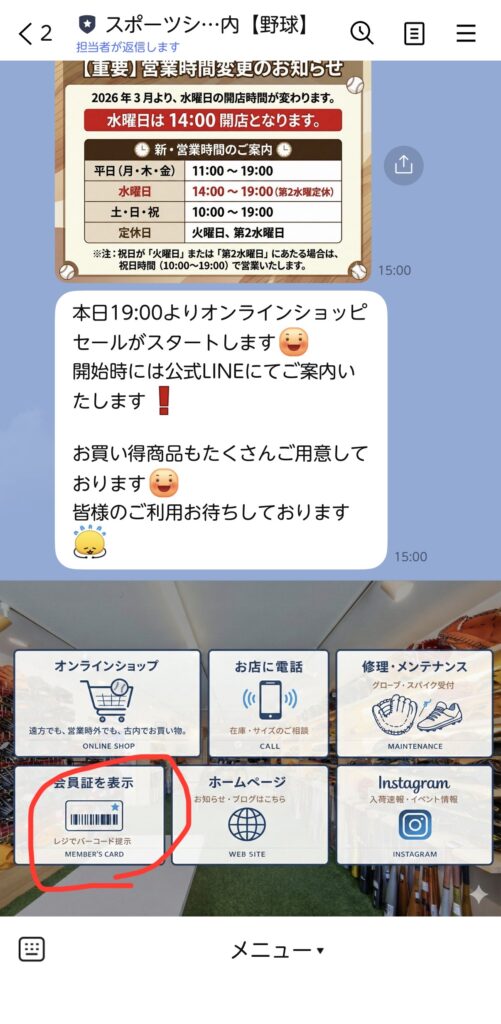
On our official LINE account, press "Show Membership Card" at the bottom left, then tap "Membership Information" at the bottom right to navigate to your profile screen. There is a field for your email address on that profile screen; by matching this email address with the one used for the online shop, your membership information will be synchronized, and your points will be combined.
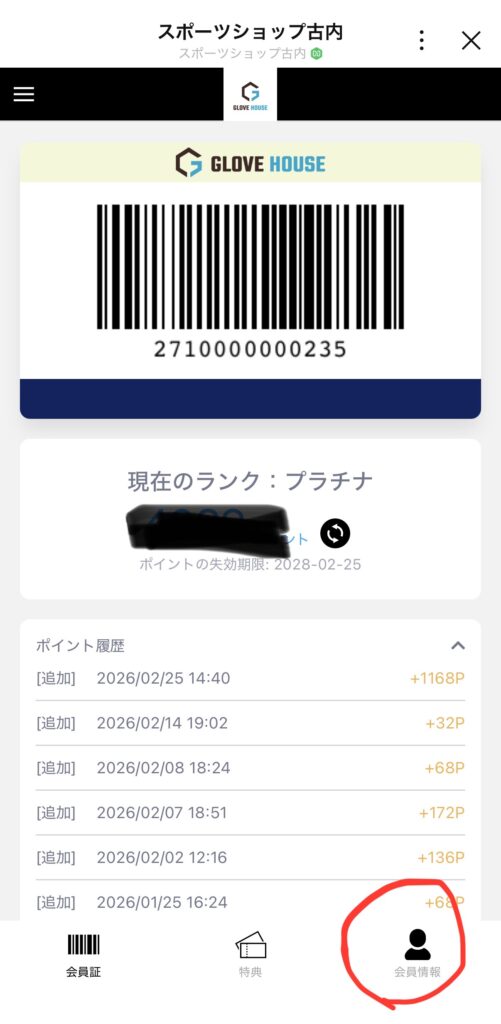
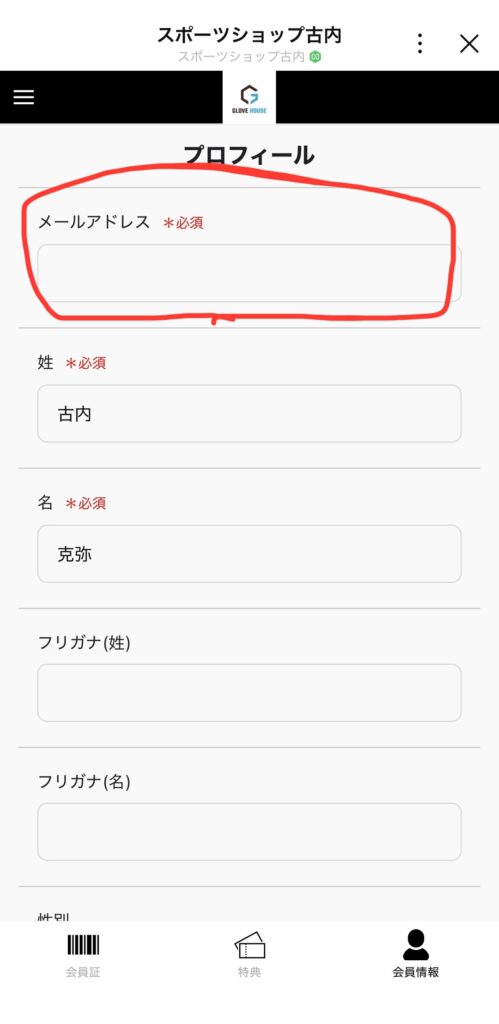
Don't forget to click the "Update" button at the bottom!
Frequently Asked Questions
Q. When will the points become shared? A. Integration is already active. As long as your email address is registered correctly, your points will be shared automatically.
Q. What happens to points I have already accumulated? A. Points you have accumulated so far can also be used together after integration.
Q. What should I do if I don't have an email address? A. An email address is required for integration. You may use a free email service (such as Gmail or Yahoo! Mail), so please register one.
Thank you for your continued support of GLOVE HOUSE. We will continue to strive to make shopping more convenient for everyone, both in-store and online.
If you have any questions, please feel free to ask our staff.